Skip to content
 Put Your Portal Link in Your Email Signature
Add your client portal link to your signature so clients can always find estimates, invoices, and the Pay button. Setup in a few steps.
Branding
Client Portal
Email Signature
Put Your Portal Link in Your Email Signature
Add your client portal link to your signature so clients can always find estimates, invoices, and the Pay button. Setup in a few steps.
Branding
Client Portal
Email Signature
 How do I send a professional invoice fast?
Use a branded template, reusable line items, and a one-click send. Get a polished invoice out in minutes, not hours.
Branding
Invoices
Speed Tips
Invoicing as a real estate agent
Bill referral fees, staging, and transaction-coordination work, and send a clean branded invoice clients can pay by card.
Branding
Invoices
Real Estate
Put your logo and colors on the client portal
Make the portal feel like your studio, not ours — your branding flows straight through.
Branding
Client Portal
Preferences
Can clients download a PDF of their estimate or invoice?
Yes — your client can grab a clean PDF for their own records, straight from the portal.
Branding
Client Portal
PDF Download
What Your Client Sees When There’s Nothing Pending
No open estimate, no unpaid invoice — here's the calm, on-brand screen they land on.
Branding
Client Experience
Client Portal
How do I send a professional invoice fast?
Use a branded template, reusable line items, and a one-click send. Get a polished invoice out in minutes, not hours.
Branding
Invoices
Speed Tips
Invoicing as a real estate agent
Bill referral fees, staging, and transaction-coordination work, and send a clean branded invoice clients can pay by card.
Branding
Invoices
Real Estate
Put your logo and colors on the client portal
Make the portal feel like your studio, not ours — your branding flows straight through.
Branding
Client Portal
Preferences
Can clients download a PDF of their estimate or invoice?
Yes — your client can grab a clean PDF for their own records, straight from the portal.
Branding
Client Portal
PDF Download
What Your Client Sees When There’s Nothing Pending
No open estimate, no unpaid invoice — here's the calm, on-brand screen they land on.
Branding
Client Experience
Client Portal
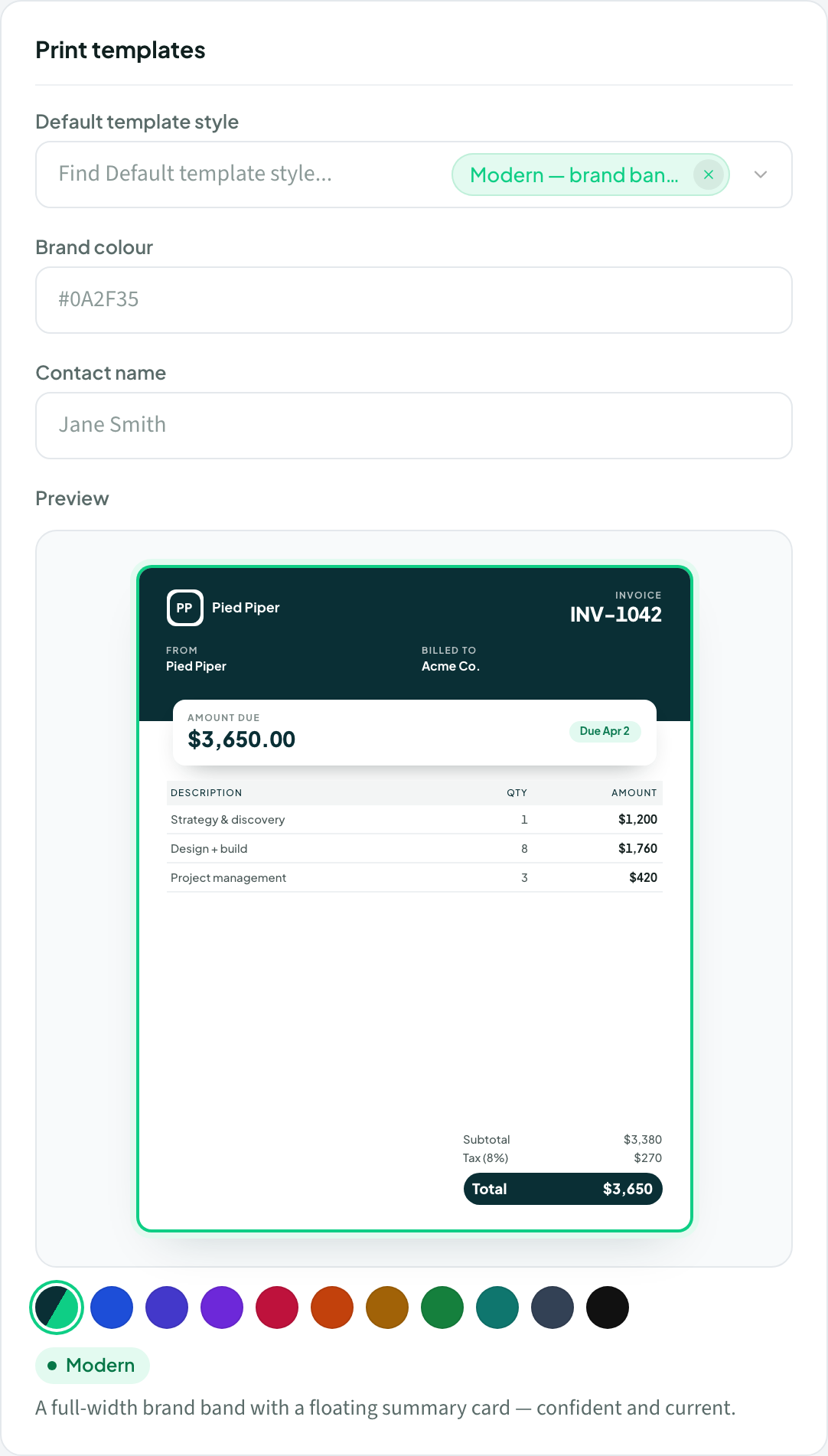 Pick an estimate template style
Choose how your estimates look from six built-in styles, set a workspace default, and override it per estimate.
Branding
Estimates
Set up your brand and logo
Add your workspace name and logo, then pick a default template style that applies to every printable document.
Branding
Setup
Pick an estimate template style
Choose how your estimates look from six built-in styles, set a workspace default, and override it per estimate.
Branding
Estimates
Set up your brand and logo
Add your workspace name and logo, then pick a default template style that applies to every printable document.
Branding
Setup


