Skip to content
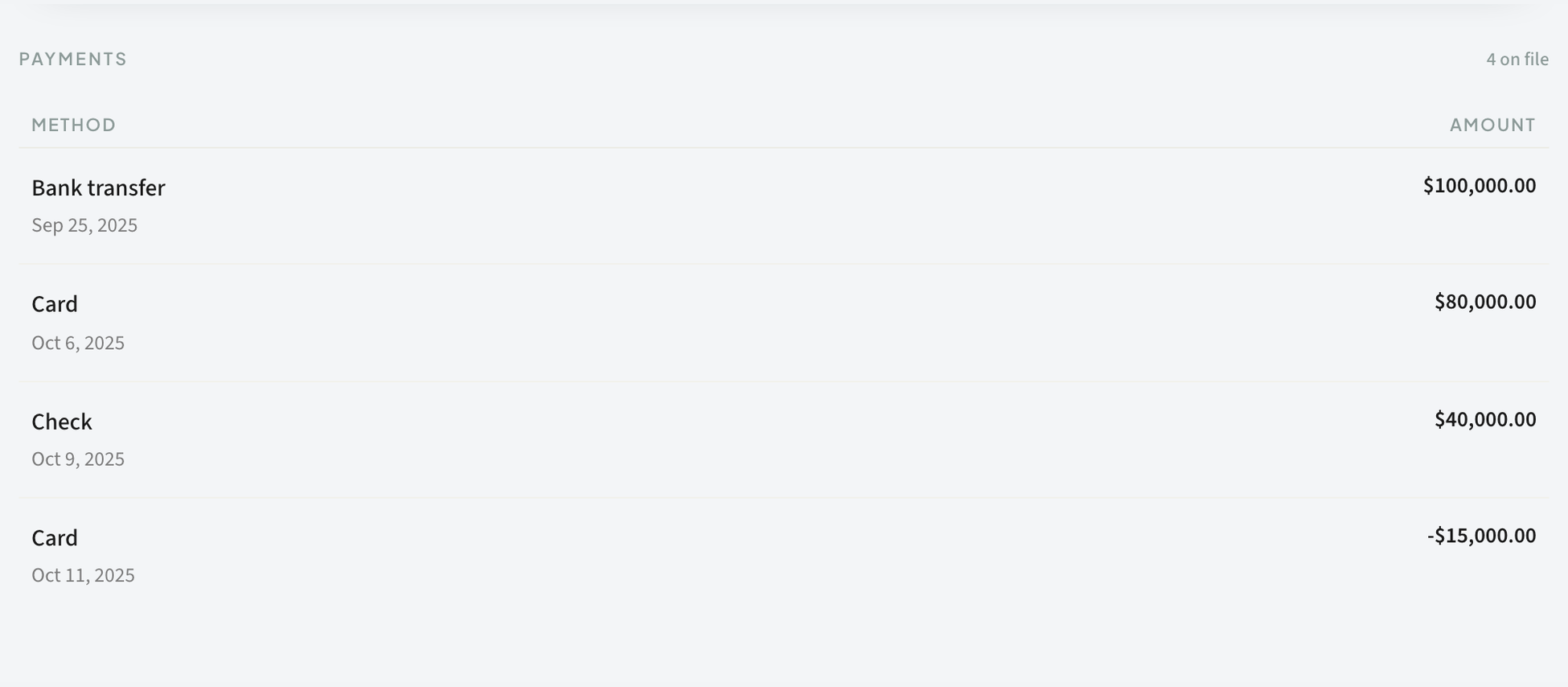
 Keep Card and Offline Payments Reconciled
Mix bank transfers and card payments on one client without losing track.
Invoices
Payments
Reconciliation
Keep Card and Offline Payments Reconciled
Mix bank transfers and card payments on one client without losing track.
Invoices
Payments
Reconciliation
 Help: A Client’s Card Was Declined
What to tell a client when their card fails and how to get the payment through.
Client Portal
Payments
Stripe
What Fee-Lion’s Platform Fee Means for Your Payouts
A plain explanation of the small platform fee and what you actually take home when a client pays.
Payments
Payouts
Stripe
Help: My Invoice Isn’t Showing as Paid
Troubleshoot why a payment didn't mark an invoice paid and how to set it right, fast.
Invoices
Payments
Troubleshooting
How a client pays an invoice
From the portal a client opens an invoice and pays online by card or ACH, with partial payments allowed and the balance counting down.
Payments
Portal
Collect a deposit on an estimate
Set a deposit percentage on an estimate, then collect it online through the portal or record it by hand to start the work paid.
Deposits
Estimates
Payments
Help: A Client’s Card Was Declined
What to tell a client when their card fails and how to get the payment through.
Client Portal
Payments
Stripe
What Fee-Lion’s Platform Fee Means for Your Payouts
A plain explanation of the small platform fee and what you actually take home when a client pays.
Payments
Payouts
Stripe
Help: My Invoice Isn’t Showing as Paid
Troubleshoot why a payment didn't mark an invoice paid and how to set it right, fast.
Invoices
Payments
Troubleshooting
How a client pays an invoice
From the portal a client opens an invoice and pays online by card or ACH, with partial payments allowed and the balance counting down.
Payments
Portal
Collect a deposit on an estimate
Set a deposit percentage on an estimate, then collect it online through the portal or record it by hand to start the work paid.
Deposits
Estimates
Payments
 Issue a refund
Refund a client in full or in part right from the payment record; the refund shows as a negative entry on the invoice and reconciles automatically.
Payments
Refunds
Record an offline payment
When a client pays you outside Stripe by check, bank transfer, cash, or wire, record it by hand so the invoice balance stays accurate.
Payments
Connect Stripe to get paid online
Connect your Stripe account so clients can pay invoices online by card or ACH from the portal, with payments reconciled automatically.
Payments
Setup
Stripe
Take a partial payment
Record payments in any combination — a card here, a check there, a transfer for the rest — and watch the balance count down to zero.
Invoices
Payments
Issue a refund
Refund a client in full or in part right from the payment record; the refund shows as a negative entry on the invoice and reconciles automatically.
Payments
Refunds
Record an offline payment
When a client pays you outside Stripe by check, bank transfer, cash, or wire, record it by hand so the invoice balance stays accurate.
Payments
Connect Stripe to get paid online
Connect your Stripe account so clients can pay invoices online by card or ACH from the portal, with payments reconciled automatically.
Payments
Setup
Stripe
Take a partial payment
Record payments in any combination — a card here, a check there, a transfer for the rest — and watch the balance count down to zero.
Invoices
Payments


