Skip to content
 Price an Estimate With Tasks, Fees, and Units
Mix hourly tasks, flat fees, and per-unit lines so your quote reflects how you really charge.
Estimates
Line Items
Pricing
Set a Default Deposit Percentage for New Estimates
Decide your standard deposit once so it's pre-filled on every estimate you build.
Deposits
Estimates
Setup
Price an Estimate With Tasks, Fees, and Units
Mix hourly tasks, flat fees, and per-unit lines so your quote reflects how you really charge.
Estimates
Line Items
Pricing
Set a Default Deposit Percentage for New Estimates
Decide your standard deposit once so it's pre-filled on every estimate you build.
Deposits
Estimates
Setup
 How a client approves an estimate
From the portal a client opens an estimate, reviews it, and approves or denies it in one click, updating the status on your side.
Estimates
Portal
How a client approves an estimate
From the portal a client opens an estimate, reviews it, and approves or denies it in one click, updating the status on your side.
Estimates
Portal
 Collect a deposit on an estimate
Set a deposit percentage on an estimate, then collect it online through the portal or record it by hand to start the work paid.
Deposits
Estimates
Payments
Collect a deposit on an estimate
Set a deposit percentage on an estimate, then collect it online through the portal or record it by hand to start the work paid.
Deposits
Estimates
Payments
 Read your win/loss report
Use the approval-rate card under Reports to see how often your estimates win, with a per-client breakdown.
Estimates
Reporting
Read your win/loss report
Use the approval-rate card under Reports to see how often your estimates win, with a per-client breakdown.
Estimates
Reporting
 Convert an approved estimate
Turn an approved estimate into an invoice to bill, a project to start work, or checklist goals from its line items.
Estimates
Invoices
Projects
Convert an approved estimate
Turn an approved estimate into an invoice to bill, a project to start work, or checklist goals from its line items.
Estimates
Invoices
Projects
 Send and track an estimate
Submit an estimate to your client and watch its status move from submitted to opened, viewed, and approved or denied.
Estimates
Portal
Send and track an estimate
Submit an estimate to your client and watch its status move from submitted to opened, viewed, and approved or denied.
Estimates
Portal
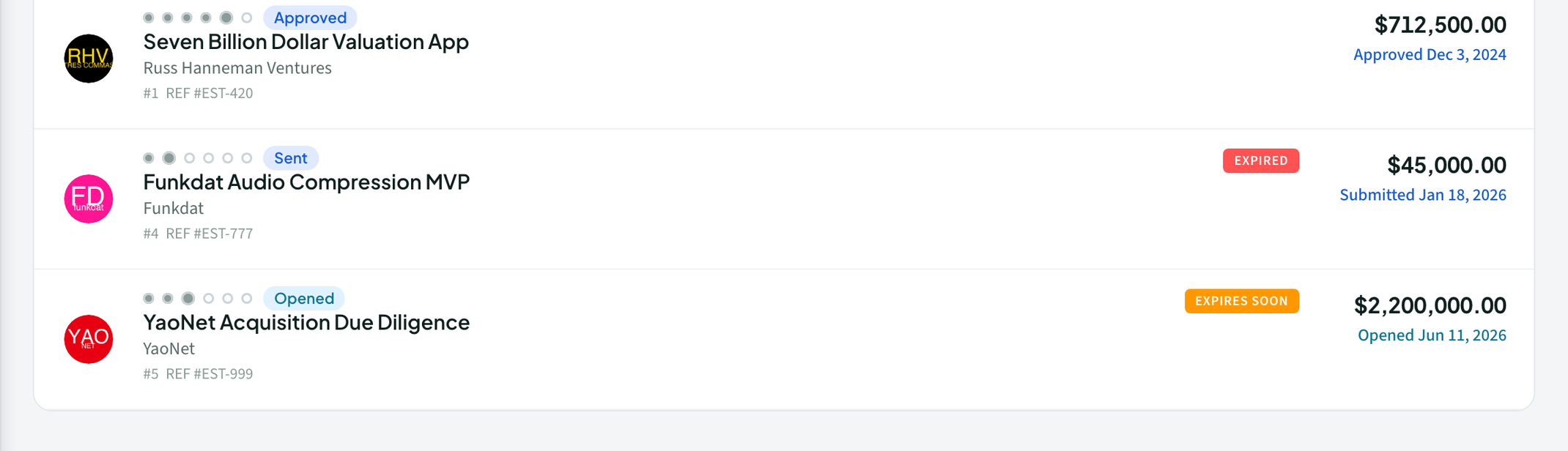 Set a validity window so quotes don’t linger
Give an estimate a "Valid until" date so it flags as expiring soon and then expired while it waits for a decision.
Estimates
Set a validity window so quotes don’t linger
Give an estimate a "Valid until" date so it flags as expiring soon and then expired while it waits for a decision.
Estimates
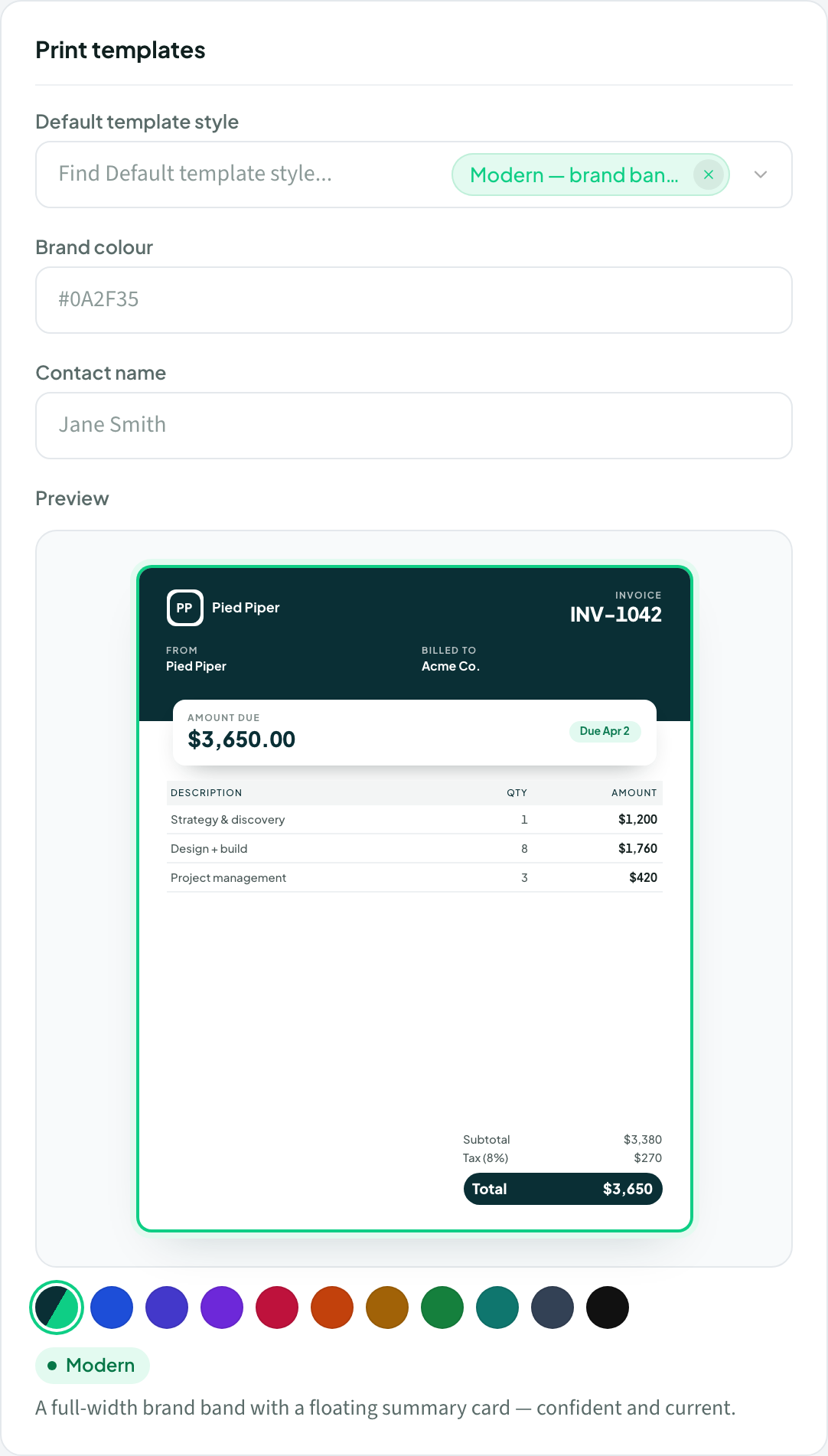 Pick an estimate template style
Choose how your estimates look from six built-in styles, set a workspace default, and override it per estimate.
Branding
Estimates
How to create an estimate
Build a line-item estimate with tasks, units, discounts, and a deposit — then send it for approval.
Billing
Estimates
Pick an estimate template style
Choose how your estimates look from six built-in styles, set a workspace default, and override it per estimate.
Branding
Estimates
How to create an estimate
Build a line-item estimate with tasks, units, discounts, and a deposit — then send it for approval.
Billing
Estimates


