Skip to content
 Set a Default Deposit Percentage for New Estimates
Decide your standard deposit once so it's pre-filled on every estimate you build.
Deposits
Estimates
Setup
Configure Tax Rates So They Apply Automatically
Set your tax defaults in Preferences so estimates and invoices calculate the right amount every time.
Preferences
Setup
Tax
Set a Default Deposit Percentage for New Estimates
Decide your standard deposit once so it's pre-filled on every estimate you build.
Deposits
Estimates
Setup
Configure Tax Rates So They Apply Automatically
Set your tax defaults in Preferences so estimates and invoices calculate the right amount every time.
Preferences
Setup
Tax
 Set Default Payment Terms That Get You Paid Faster
Pick Net 7, Net 14, or due-on-receipt once and let every new invoice inherit it.
Invoices
Payment Terms
Setup
Set Default Payment Terms That Get You Paid Faster
Pick Net 7, Net 14, or due-on-receipt once and let every new invoice inherit it.
Invoices
Payment Terms
Setup
 Solo or Studio? Choosing the Right Plan
A quick gut-check on which plan fits how you work today and what to upgrade as you grow.
Billing
Plans
Setup
Solo or Studio? Choosing the Right Plan
A quick gut-check on which plan fits how you work today and what to upgrade as you grow.
Billing
Plans
Setup
 Connect Stripe to get paid online
Connect your Stripe account so clients can pay invoices online by card or ACH from the portal, with payments reconciled automatically.
Payments
Setup
Stripe
Connect Stripe to get paid online
Connect your Stripe account so clients can pay invoices online by card or ACH from the portal, with payments reconciled automatically.
Payments
Setup
Stripe
 Import your data from another app
A 4-step wizard brings your clients and invoices over from Zoho, QuickBooks, FreshBooks, Wave, and more.
Import
Migration
Setup
Import your data from another app
A 4-step wizard brings your clients and invoices over from Zoho, QuickBooks, FreshBooks, Wave, and more.
Import
Migration
Setup
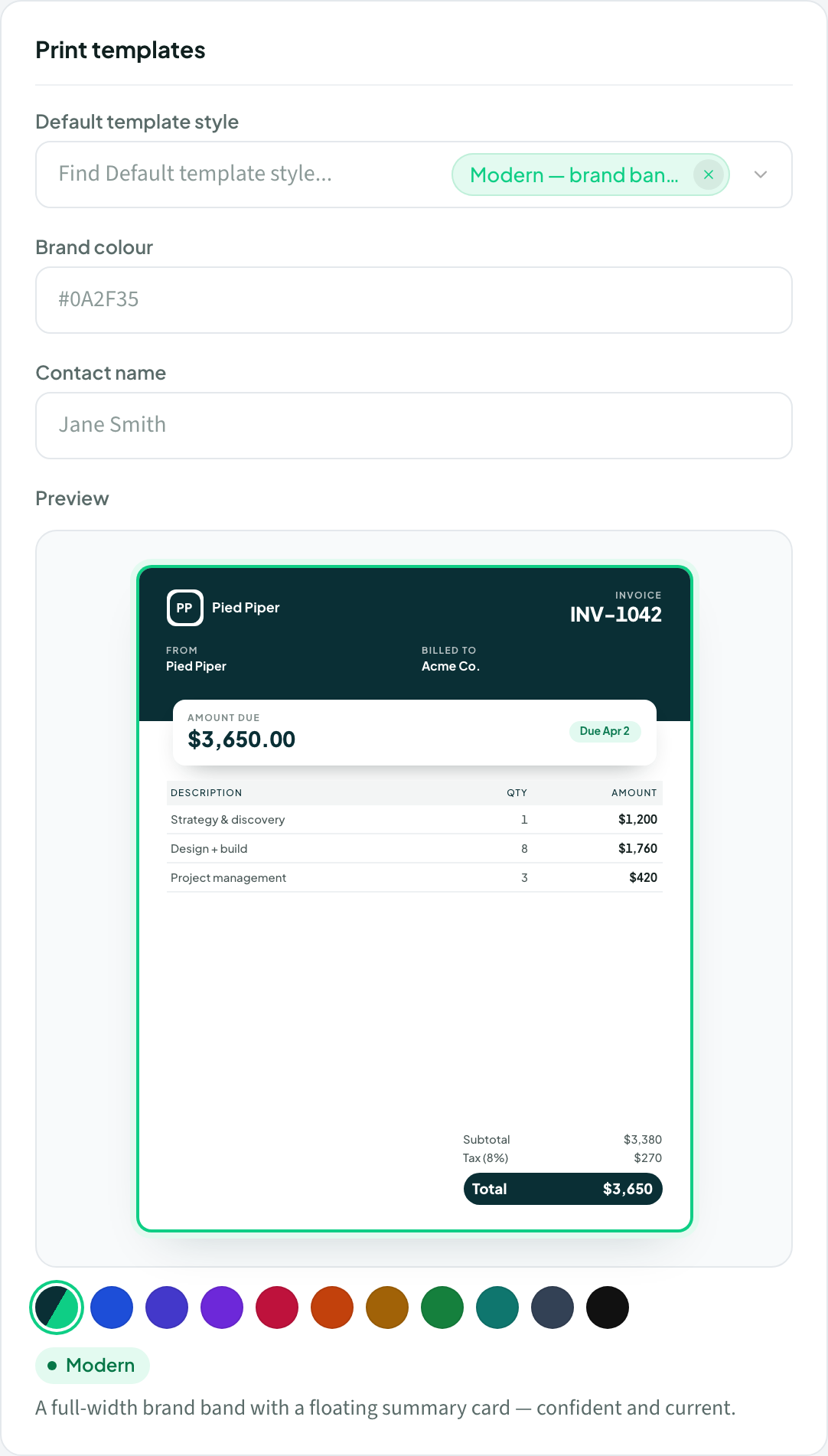 Set up your brand and logo
Add your workspace name and logo, then pick a default template style that applies to every printable document.
Branding
Setup
Set up your brand and logo
Add your workspace name and logo, then pick a default template style that applies to every printable document.
Branding
Setup
 Getting started: your first week
A simple first-week path: set your brand, add a client, send your first document, and invite your team.
Getting started
Setup
Set your workspace preferences
Set defaults like terms, tax rate, and deposit percentage once so every new document starts pre-filled.
Preferences
Setup
Getting started: your first week
A simple first-week path: set your brand, add a client, send your first document, and invite your team.
Getting started
Setup
Set your workspace preferences
Set defaults like terms, tax rate, and deposit percentage once so every new document starts pre-filled.
Preferences
Setup


